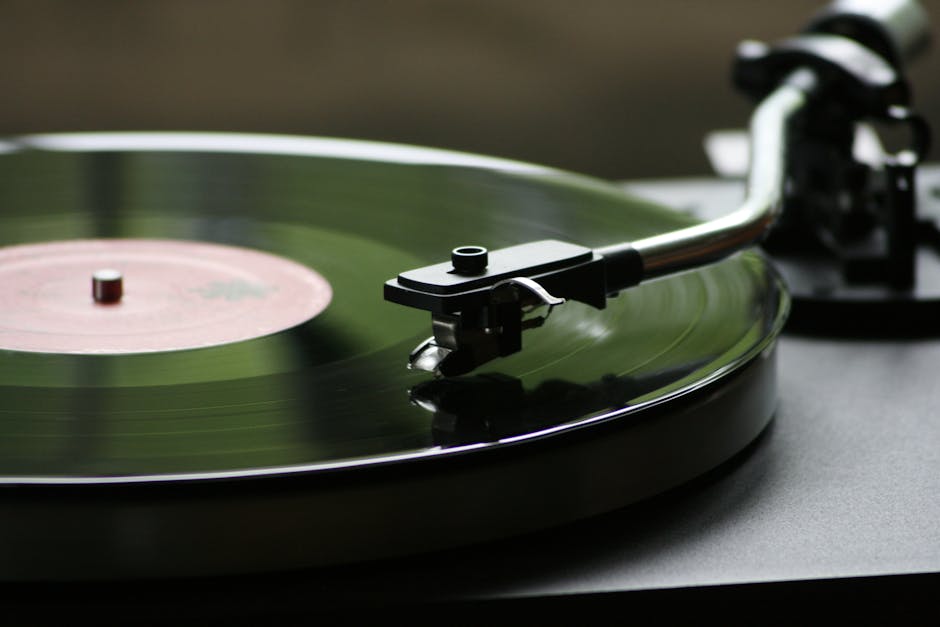
Starting to make music at home doesn’t require a fancy studio or thousands of pounds in equipment. You’ve probably heard bedroom producers create chart-topping hits, and that’s not an exaggeration. Making music at home has become more accessible than ever, and honestly, you can begin with just a laptop and free software.
Related reading: Budget Ergonomic Home Office Setup to Prevent Pain and Transform Your Workday.
Picture this: You’re scrolling through Spotify, listening to your favourite tracks, and thinking “I wish I could create something like that.” Maybe you’ve tapped out beats on your desk, hummed melodies in the shower, or imagined what it’d be like to share your own songs. That creative urge is real, and it’s valid. But here’s where most people get stuck—they assume music production is reserved for people with formal training, expensive gear, or some innate talent they don’t possess. None of that is true.
Common Myths About Making Music at Home
For more on this topic, you might enjoy: Easy Indoor Plants for Beginners That Transform Your Home Without the Stress.
Before we dive into the practical stuff, let’s clear up some misconceptions that stop people from even trying.
Myth: You Need Expensive Equipment to Start Making Music
Reality: Free digital audio workstations (DAWs) like GarageBand, Cakewalk, and Tracktion T7 offer professional-quality tools without costing a penny. Thousands of successful producers started with nothing but a laptop and headphones. The limitation isn’t your budget—it’s your willingness to learn the software you already have access to.
Myth: You Must Read Music or Play an Instrument
Reality: Modern music production software includes MIDI tools, loops, and sample libraries that let you create complex arrangements without touching a physical instrument. Electronic music producers often work entirely with software instruments and pre-recorded samples. Understanding music theory helps, certainly, but it’s not a prerequisite for making music at home.
Myth: Good Music Requires a Professional Studio
Reality: Billie Eilish’s debut album was recorded in a small bedroom with basic equipment. What matters most is understanding your tools, treating your space acoustically (even with DIY solutions), and developing your creative vision. A spare bedroom, corner of your living room, or even a closet can become a perfectly functional workspace for making music at home.
What You Actually Need to Get Started
Let’s talk about the essentials. Starting to make music at home requires surprisingly little, and you can expand your setup gradually as you develop your skills and understand what direction you’re heading.
A Computer That Meets Basic Requirements
Your computer doesn’t need to be cutting-edge. Most modern laptops from the past five years can handle music production software comfortably. Look for these minimum specs: at least 8GB of RAM (16GB is better for larger projects), a decent processor (Intel Core i5 or AMD equivalent), and sufficient storage space (aim for at least 256GB, though external drives work brilliantly for sample libraries).
Mac or PC? Both work perfectly well for making music at home. Mac users get GarageBand free, which is genuinely excellent for beginners. Windows users have access to Cakewalk by BandLab, which offers professional features at no cost. The “Mac versus PC” debate is largely personal preference at this point.
Digital Audio Workstation (DAW) Software
This is the heart of your home music setup. Your DAW is where you’ll record, arrange, edit, and mix everything. For beginners making music at home, these free options are brilliant starting points:
- GarageBand (Mac only) offers intuitive controls and thousands of loops, perfect for understanding the basics
- Cakewalk by BandLab (Windows) provides professional-grade features completely free, with no limitations
- Tracktion T7 (Mac/Windows/Linux) gives you a streamlined interface and unlimited track counts
- Reaper offers a generous free trial that essentially never expires, with full functionality
- Ableton Live Lite comes free with many audio interfaces and MIDI controllers, offering a taste of industry-standard software
Pick one and stick with it for at least three months. Constantly switching between DAWs derails your progress because you’re relearning interfaces rather than developing musical skills.
Headphones or Monitors
When you’re starting to make music at home, decent headphones matter more than you might think. You don’t need to spend hundreds initially, but avoid cheap earbuds—they simply don’t give you an accurate representation of your mix.
Something like studio monitoring headphones (often called reference headphones) work well because they reproduce sound accurately rather than boosting bass or treble artificially. Look for closed-back designs if you’re recording vocals or acoustic instruments, as they prevent sound leakage. Expect to spend £50-100 for entry-level options that’ll serve you well.
Studio monitors (speakers designed for music production) can wait. They’re fantastic, but they require acoustic treatment in your room to sound their best, and neighbours in flats don’t always appreciate 808s at midnight. Headphones give you the freedom to work whenever inspiration strikes.
Audio Interface (Optional Initially)
If you plan to record vocals, guitars, or other live instruments, an audio interface converts analogue sound into digital information your computer understands. These devices also improve your monitoring quality and reduce latency (the delay between playing something and hearing it).
Starting out with just software instruments and samples? Skip this initially. Focus your energy on learning your DAW and making music at home with the tools you have. You can always add an interface later when you’re ready to record live sources. When that time comes, basic two-input interfaces typically cost £80-150 and offer excellent quality.
Understanding the Basics of Music Production
Before you start clicking buttons randomly (which is tempting, I know), understanding a few fundamental concepts will accelerate your learning dramatically.
Arrangement and Song Structure
Most popular music follows recognizable patterns: intro, verse, chorus, verse, chorus, bridge, chorus, outro. Listen actively to songs you love and map out their structure. Where do drums enter? When do basslines appear? How long are the verses?
Making music at home becomes much easier when you work from templates. Your DAW probably includes arrangement markers—use them. Create a rough structure before you start adding sounds, and you’ll avoid the “endless loop” trap where you perfect eight bars but never develop them into a full song.
Tempo, Time Signatures, and Key
Every project starts with basic settings. Tempo (measured in beats per minute or BPM) determines your song’s speed. House music typically sits around 120-128 BPM, hip-hop around 70-100 BPM, and pop anywhere from 90-130 BPM. Choose based on the mood you’re after—slower tempos feel more laid-back, faster ones create energy.
Time signature (usually 4/4 for beginners) tells you how beats are organized in each bar. Key determines which notes sound harmonious together. When starting to make music at home, don’t overthink this—choose a key (C major or A minor are beginner-friendly since they use only white keys on a piano) and stick with it.
Layering Sounds and Instruments
Professional-sounding tracks rarely use just one or two elements. Drums might include separate tracks for kick, snare, hi-hats, and percussion. Melodies often layer multiple instruments playing complementary parts. Vocals stack harmonies and doubles to create thickness.
Think of making music at home like painting. You’re building layers that work together. Start with foundational elements (usually drums and bass), then add melodic components, and finally textural elements that fill spaces and add interest.
Your First Week Making Music at Home: A Practical Roadmap
Theory means nothing without practice. Here’s exactly what to do in your first seven days.
- Day 1: Download and install your chosen DAW. Spend 30 minutes exploring the interface—don’t try to make anything yet. Watch one official tutorial video from the software developer to understand basic navigation.
- Day 2: Load a pre-made loop or drum pattern from your DAW’s library. Learn how to adjust tempo and loop a section. Add a second loop that complements the first. Save your project properly.
- Day 3: Create a simple 8-bar drum pattern from scratch using your DAW’s piano roll or step sequencer. Focus on kick, snare, and hi-hats. Play it back and adjust timing until it grooves.
- Day 4: Add a bassline to your drum pattern. Use a software synthesizer or bass instrument from your DAW’s library. Keep it simple—even one note per bar works initially.
- Day 5: Layer in a melodic element using software instruments. Copy and paste your 8-bar pattern to create a 32-bar arrangement with slight variations between sections.
- Day 6: Explore effects like reverb, delay, and EQ. Apply them subtly to different tracks and notice how they change the sound. Don’t aim for perfection—experiment and learn what each effect does.
- Day 7: Export your first complete track, even if it’s rough. Listen to it away from your DAW. Celebrate finishing something rather than perfecting nothing.
This structured approach to making music at home builds skills incrementally. Each day tackles one new concept, preventing overwhelm while maintaining momentum.
Essential Skills Every Beginner Music Producer Needs
Beyond the technical basics, certain skills separate hobbyists from producers who actually finish tracks people want to hear.
Active Listening
Listen to music differently now. Instead of passive enjoyment, analyze production choices. What’s happening in the left and right speakers? How loud is the vocal compared to the instruments? What happens in the last 30 seconds? This analytical approach directly improves your own work when making music at home.
Create a reference playlist of 5-10 tracks in the style you want to produce. Import them into your DAW alongside your projects and compare levels, arrangements, and tonal balance. According to BBC research on music production trends, referencing professional tracks remains the most effective way beginners develop their mixing skills.
Understanding Audio Levels and Gain Staging
Clipping (when audio exceeds 0dB) sounds horrible and ruins mixes. Keep your master fader around -6dB to -3dB while working, leaving headroom for mastering later. Individual tracks can peak higher, but watch that master level constantly.
Gain staging means setting appropriate levels at each stage of your signal chain. Sounds simple, yet countless beginners making music at home struggle with this. If something sounds too quiet, resist the urge to crank the master fader—instead, adjust individual track volumes or apply gentle compression.
Basic Mixing Techniques
Mixing balances all your elements so they work together cohesively. Start with volume faders to establish a rough balance—typically drums and vocals loudest, bass prominent but not overwhelming, melodic elements supporting rather than competing.
Panning spreads sounds across the stereo field. Keep bass and kick drum centered (they anchor your mix), but pan other elements slightly left or right to create space. Hi-hats might go 20% right, a synth pad 30% left, backing vocals spread wide. Experiment until things feel spacious rather than cramped.
EQ removes unwanted frequencies and helps elements sit together. As a beginner making music at home, start with subtractive EQ—cutting problematic frequencies rather than boosting. High-pass filter (remove low frequencies) on everything except bass and kick drum. This single technique dramatically improves mix clarity.
Free Resources and Learning Materials
The internet overflows with tutorials, but too much information paralyzes beginners. Here’s where to focus your attention when learning music production at home.
YouTube Channels Worth Following
Quality education exists free on YouTube. Channels focused on your chosen DAW provide the most immediately useful content. Search “[your DAW name] beginner tutorial” and watch series that walk through complete projects rather than isolated tips.
Genre-specific channels help too. If you’re into electronic music, channels covering synthesis and sound design matter. For hip-hop production, beat-making tutorials and sampling techniques become relevant. Folk and acoustic? Recording and arrangement videos serve you better.
Sample Libraries and Presets
Creating every sound from scratch wastes time when starting out. Sample libraries provide drums, loops, and one-shots you can use immediately. Many companies offer free packs specifically for beginners making music at home—download a few and explore what’s included.
Presets for synthesizers and effects give you professional-sounding starting points. Load a preset, tweak it slightly, and you’ve got a unique sound without needing to understand every synthesis parameter. Learning sound design comes later—focus on finishing tracks now.
Online Communities and Forums
Subreddits like r/WeAreTheMusicMakers and r/edmproduction offer advice, feedback, and encouragement. Local production communities on Facebook connect you with people making music at home in your area. Don’t be shy about asking questions—everyone started exactly where you are now.
The Sound on Sound technique articles provide in-depth explanations of production concepts, written by industry professionals. Their beginner-friendly approach breaks down complex topics into digestible pieces.
Overcoming Creative Blocks and Technical Challenges
Everyone hits walls. The difference between people who quit and those who progress is how they handle these inevitable obstacles.
When You Don’t Know Where to Start
Blank project paralysis is real. Combat it with constraints. Limit yourself to three instruments maximum, or work only with samples from one pack, or commit to finishing a track in two hours regardless of quality. Restrictions paradoxically boost creativity by eliminating endless options.
Another approach: copy something exactly. Pick a simple track you love and recreate it sound-by-sound. You’ll learn arrangement techniques, mixing approaches, and sound selection while removing creative pressure. This isn’t cheating when making music at home—it’s education through reverse-engineering.
Technical Problems and Software Issues
Audio glitches, crashes, and confusing errors frustrate everyone. First step: increase your buffer size (found in audio settings). Higher buffer sizes reduce strain on your computer, preventing dropouts and pops. The trade-off is slightly increased latency, but that rarely matters when making music at home unless you’re recording live instruments.
Save frequently and create multiple versions. “Project_v1”, “Project_v2”, etc. gives you fallback options if something corrupts or you make irreversible changes you regret. Enable auto-save in your DAW settings—it’s a lifesaver.
Can’t figure something out? Search your exact DAW name plus your specific problem. Chances are someone else encountered the same issue and posted the solution on a forum or in a YouTube video.
Mistakes to Avoid When Starting Your Music Production Journey
Learning what not to do saves months of frustration. These common pitfalls derail beginners making music at home more than any technical limitation.
Mistake 1: Buying Gear Instead of Learning Your Current Tools
Why it’s a problem: New equipment feels like progress, but it’s actually procrastination disguised as productivity. That expensive MIDI controller won’t make your tracks better if you don’t understand arrangement. The allure of “professional” gear distracts from developing actual skills.
What to do instead: Master what you have first. Spend three months getting fluent with free or cheap software before upgrading anything. Understanding signal flow, compression, and arrangement matters infinitely more than owning vintage synthesizers. When you genuinely outgrow your current setup, you’ll know exactly what to buy because you’ll understand your specific needs.
Mistake 2: Never Finishing Projects
Why it’s a problem: Perfectionism keeps projects perpetually in progress. You tweak the kick drum for hours, restart because “it’s not right,” and end up with folders full of 16-bar loops but zero completed songs. Finishing teaches lessons that endless tweaking never will.
What to do instead: Set strict deadlines for making music at home. Give yourself one week maximum per track initially. Quality will be rough—accept that. Finishing ten mediocre songs teaches more than spending six months on one “perfect” track. Progress comes from repetition and completion, not refinement of abandoned projects.
Mistake 3: Ignoring Music Theory Completely
Why it’s a problem: You can absolutely make music without formal theory knowledge, but understanding even basic concepts accelerates your creativity significantly. Knowing which notes work together prevents hours of trial-and-error, and recognizing common chord progressions helps you write more compelling melodies.
What to do instead: Learn incrementally alongside production. Spend 15 minutes weekly on basic theory—major and minor scales, common chord progressions (I-V-vi-IV is everywhere in pop music), and how to stay in key. The musictheory.net lessons offer free, structured learning that pairs perfectly with practical music production.
Mistake 4: Comparing Your Beginning to Someone Else’s Middle
Why it’s a problem: Social media shows polished highlights, not the years of practice behind them. Comparing your first attempts at making music at home to established producers’ work guarantees discouragement. It’s comparing your rough draft to their published novel.
What to do instead: Compare yourself only to your previous work. Is this track better than your last one? Even marginally? That’s progress. Successful producers were once exactly where you are—check out early tracks from artists you admire to see their growth journey. Everyone sounds rough initially.
Mistake 5: Working Only on Headphones Without Checking Other Playback Systems
Why it’s a problem: Mixes that sound balanced in your headphones might fall apart on phone speakers, car stereos, or laptop speakers. Each playback system emphasizes different frequencies, and what works in one environment often fails in another.
What to do instead: Test your mixes on multiple systems. Export a rough version and listen on your phone, in your car, on cheap earbuds, through your TV speakers. Take notes about what sounds wrong in each environment, then adjust accordingly. Professional producers making music at home all follow this practice—it’s essential for commercially competitive results.
Building Sustainable Habits for Long-Term Progress
Motivation fades. Systems persist. Creating sustainable habits determines whether you’re still making music at home six months from now or whether your DAW gathers digital dust.
Schedule Consistent Sessions
Waiting for inspiration guarantees inconsistency. Block specific times for music production—maybe Tuesday and Thursday evenings from 7-9pm, or Saturday mornings before noon. Treat these appointments as seriously as you’d treat meeting a friend.
Consistency matters more than duration. Three focused hours weekly beats sporadic all-day sessions that happen randomly. Your brain learns patterns, and regular sessions train your creativity to show up on schedule rather than waiting passively for the muse.
Set Process Goals, Not Outcome Goals
Bad goal: “Make a track that gets 10,000 plays.” You can’t control that. Good goal: “Finish one complete track every two weeks for the next three months.” You control process completely.
Other strong process goals when making music at home include: watch two tutorial videos weekly and apply what you learned, recreate one section from a professional track monthly to study arrangement techniques, or spend 20 minutes daily just playing with sounds without pressure to create anything finished.
Document Your Journey
Keep a production journal (digital notes work fine). After each session, write what you worked on, what you learned, and what confused you. Reviewing this log reveals patterns—maybe you consistently struggle with basslines, indicating where to focus your learning.
Save every project, even terrible ones. Looking back at early work after six months provides tangible proof of improvement. That motivation sustains you through difficult periods when progress feels invisible.
When to Expand Your Setup
Eventually, your skills will outpace your tools. These signs indicate you’re ready to invest in upgrades for making music at home.
You’ve completed at least 10-15 full tracks using your current setup. Experience identifies genuine needs versus wishful wants. Perhaps you’ve repeatedly hit CPU limits while working, or your keyboard’s mini-keys feel cramped after months of daily use. These are valid reasons to upgrade.
Your chosen genre requires specific tools. If you’re producing guitar-based music, an audio interface becomes essential for recording. Electronic producers might benefit from a MIDI controller with velocity-sensitive pads for more expressive drum programming. Match purchases to actual production requirements rather than perceived prestige.
Budget allows for quality over quantity. Something like a decent MIDI keyboard controller (around £100-200) significantly improves workflow compared to clicking notes with a mouse. Look for velocity sensitivity, at least 25 keys (49 is more comfortable), and physical faders or knobs for controlling software parameters.
Studio monitors make sense once you understand acoustic treatment basics. Bare walls, empty corners, and parallel surfaces create problems that even expensive monitors can’t overcome. Research DIY acoustic treatment first—bass traps in corners and absorption panels at reflection points transform your room’s sound more than monitor upgrades alone.
Save This: Your Music Production Essentials
- Choose one DAW and commit to learning it thoroughly before switching
- Finish imperfect tracks rather than endlessly perfecting loops that never become songs
- Reference professional tracks in your genre to understand mixing and arrangement standards
- Set strict project deadlines to combat perfectionism and build completion habits
- Test mixes on multiple playback systems beyond your primary headphones or monitors
- Schedule regular production sessions instead of relying on sporadic inspiration
- Learn basic music theory alongside practical production skills for faster creative growth
- Document your progress to maintain perspective during inevitable frustrating periods
Your Questions About Making Music at Home Answered
How much money do I need to start making music at home?
Absolutely nothing if you already own a computer. Free DAWs like GarageBand (Mac), Cakewalk (Windows), or Tracktion T7 (both platforms) provide everything necessary to create professional-quality music. Decent headphones improve your experience (£50-100), but even basic ones work initially. You can legitimately start making music at home today without spending a penny beyond what you already have.
How long does it take to get good at music production?
Expect 3-6 months of consistent practice before you’re comfortable with your DAW’s basic functions and can finish simple tracks independently. Genuinely “good” results typically emerge after 1-2 years of regular work—finishing 30-50 tracks teaches lessons tutorials can’t. That timeline shortens dramatically with structured learning and frequent practice sessions. Quality matters less than consistency when starting to make music at home.
Do I need to learn music theory to produce music?
No, but basic theory knowledge accelerates your creative process significantly. Understanding keys, scales, and common chord progressions helps you write melodies faster and avoid frustrating trial-and-error sessions. Many successful producers learned theory gradually alongside production, spending just 15-20 minutes weekly on fundamentals. You don’t need formal education—free online resources teach everything relevant to making music at home.
Can I make professional-sounding music without expensive equipment?
Yes, though it requires more knowledge and effort. Free plugins often match paid options in quality—you just need more time finding them and learning their quirks. Billie Eilish’s Grammy-winning album was recorded in a bedroom with modest equipment. Your limiting factor is skill and creativity, not gear. Focus energy on understanding compression, EQ, and arrangement rather than shopping for equipment upgrades.
What genre is easiest for beginners to start with?
Electronic genres like house, techno, or lo-fi hip-hop typically prove easiest when making music at home because they rely primarily on software instruments and samples rather than recording live performances. These genres also forgive technical imperfections—a slightly rough mix often adds character rather than sounding unprofessional. That said, choose whatever genre genuinely excites you—enthusiasm sustains learning better than perceived ease.
Start Now, Perfect Later
You’ve got the roadmap. Making music at home begins with opening your DAW and placing sounds together, not with perfect preparation or expensive equipment. Every producer whose tracks you admire started exactly where you are now—uncertain, overwhelmed, and completely capable of learning through persistent practice.
The gap between wanting to create music and actually doing it closes the moment you commit to consistent action. Download your chosen DAW tonight if you haven’t already. Tomorrow, spend 30 minutes exploring without pressure to create anything brilliant. Build from there, one small step at a time.
Remember—nobody expects perfection from beginners except beginners themselves. Your first ten tracks will sound rough. That’s not failure; that’s progress. Each completed project teaches lessons that theoretical knowledge never will. Start making music at home today, because six months from now you’ll wish you’d begun right now.


